
← Back
You are here:
Print
A6 Mini GPRS/GSM Module Board with Antenna and Sim Card Slot Quad Band 850 900 1800 1900 MHz User’s Guide
Last Updated On
0
0
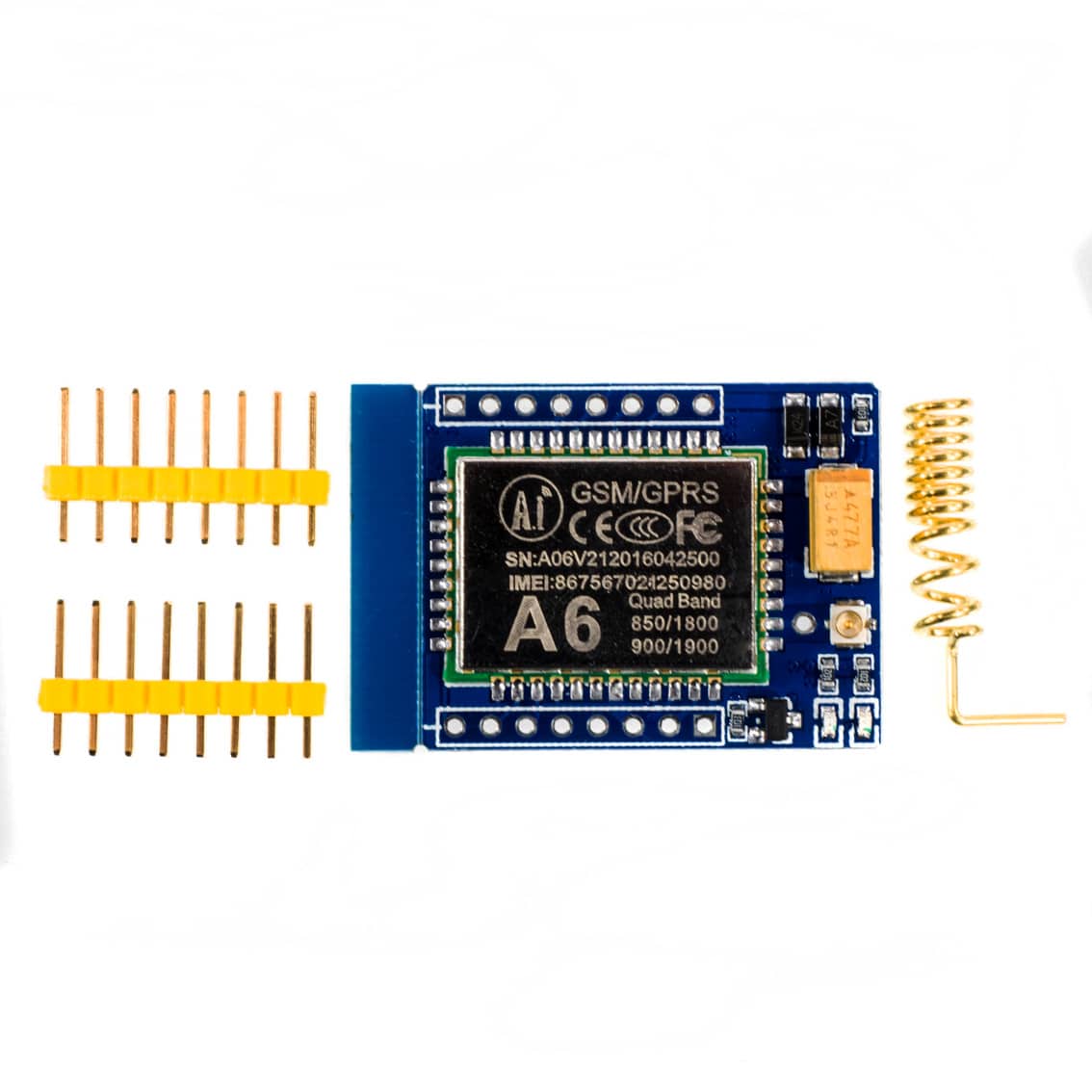
Product Overview
- Module: Ai‑Thinker A6 Mini GSM/GPRS
- Bands: Quad‑band GSM 850 / 900 / 1800 / 1900 MHz
- Functions: SMS, voice calls, GPRS data (TCP/IP)
- Interfaces: UART (2.8–3.3 V logic), audio (MIC/earphone), SIM slot
- Power: 5 V input (≥2 A recommended), onboard regulator ~4.1 V
- Antenna: External helical antenna
Pinout Reference
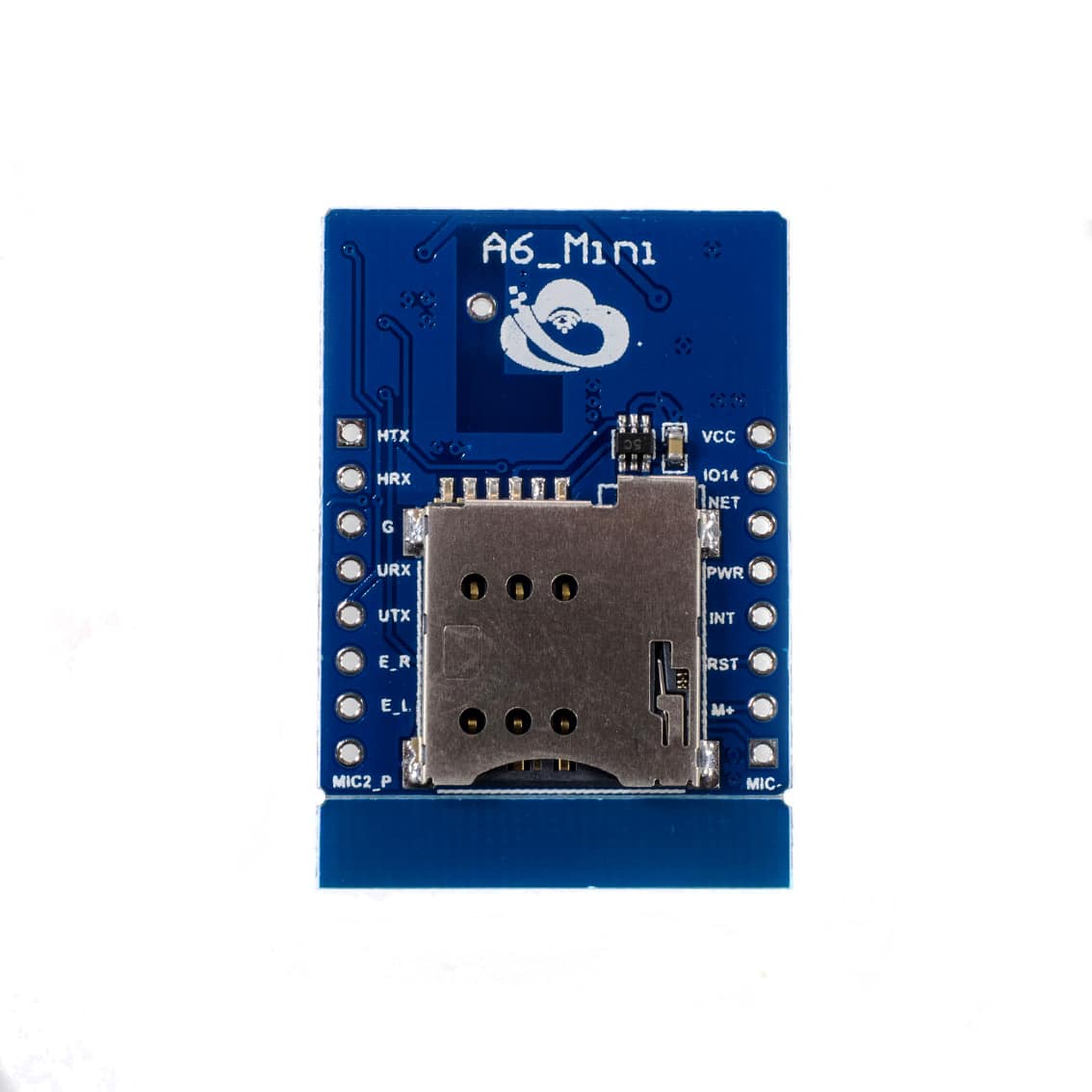
Here’s the text‑based pinout mapping from the board:
- Left Side Pins
- MTX / HRX: Secondary UART (often unused)
- URX / UTX: Primary UART RX/TX (connect to MCU TX/RX)
- E_R / E_L: Earphone right/left audio outputs
- MIC2_P / MIC2_N: Secondary microphone input
- Right Side Pins
- VCC: 5 V power input (≥2 A supply)
- GND: Ground
- IO14: General purpose I/O (can be used for control)
- NET: Network status LED pin
- PWR: Power key (pull low to turn ON/OFF)
- INT: Interrupt pin (network events)
- RST: Reset (active low)
- MIC_P / MIC_N: Primary microphone input
Setup Instructions
- Insert SIM Card
- Use a standard GSM SIM (2G capable).
- Place into the onboard SIM slot.
- Power the Module
- Connect VCC → 5 V, GND → Ground.
- Use a stable supply (≥2 A).
- Connect to Arduino/MCU
- UTX → Arduino RX
- URX → Arduino TX
- GND → GND
- Use SoftwareSerial at 9600 baud.
- Test with AT Commands
cpp
#include <SoftwareSerial.h>
SoftwareSerial gsm(11, 10); // RX, TX

void setup() {
  Serial.begin(9600);
  gsm.begin(9600);
  gsm.println("AT"); // Test command
}

void loop() {
  if (gsm.available()) Serial.write(gsm.read());
  if (Serial.available()) gsm.write(Serial.read());
}
Common AT Commands
- Check SIM:
AT+CCID - Signal strength:
AT+CSQ - Send SMS:
Code
AT+CMGF=1 AT+CMGS="+639XXXXXXXXX" > Hello from A6! ␛ (Ctrl+Z) - Make a call:
ATD+639XXXXXXXXX; - Answer call:
ATA - Hang up:
ATH
Best Practices
- Use a stable 5 V/2 A supply.
- Ensure your SIM supports 2G GSM.
- UART logic is 2.8–3.3 V; use level shifters with 5 V MCUs.
- Keep antenna connected for reliable signal.
Applications
- SMS‑based alerts (alarms, monitoring)
- Voice call control (remote switching)
- IoT telemetry via GPRS (HTTP/TCP/IP)
- DIY GSM phone projects
Table of Contents