
DHT11 LM35 Temperature Humidity Sensor Expansion Board User’s Guide
Overview
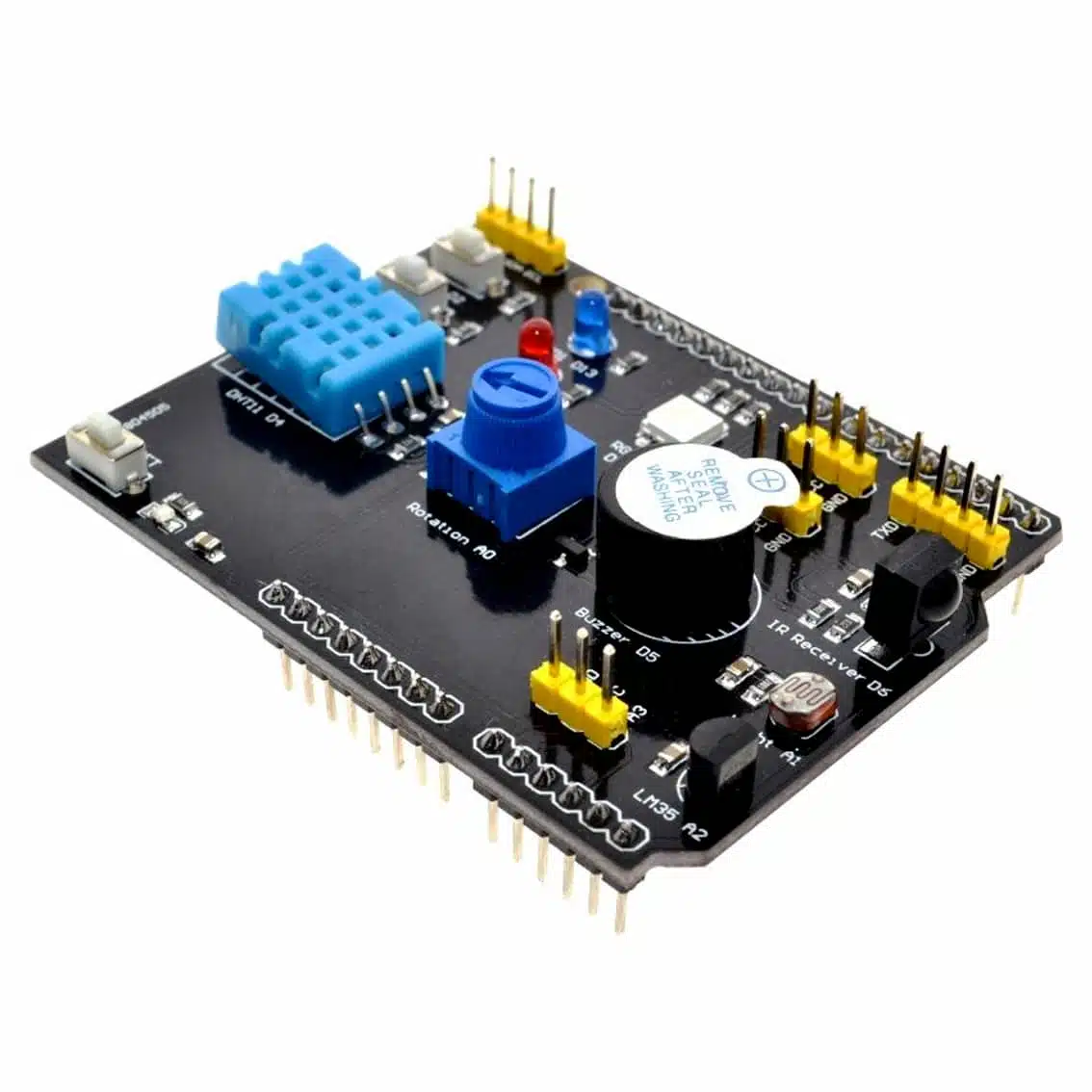
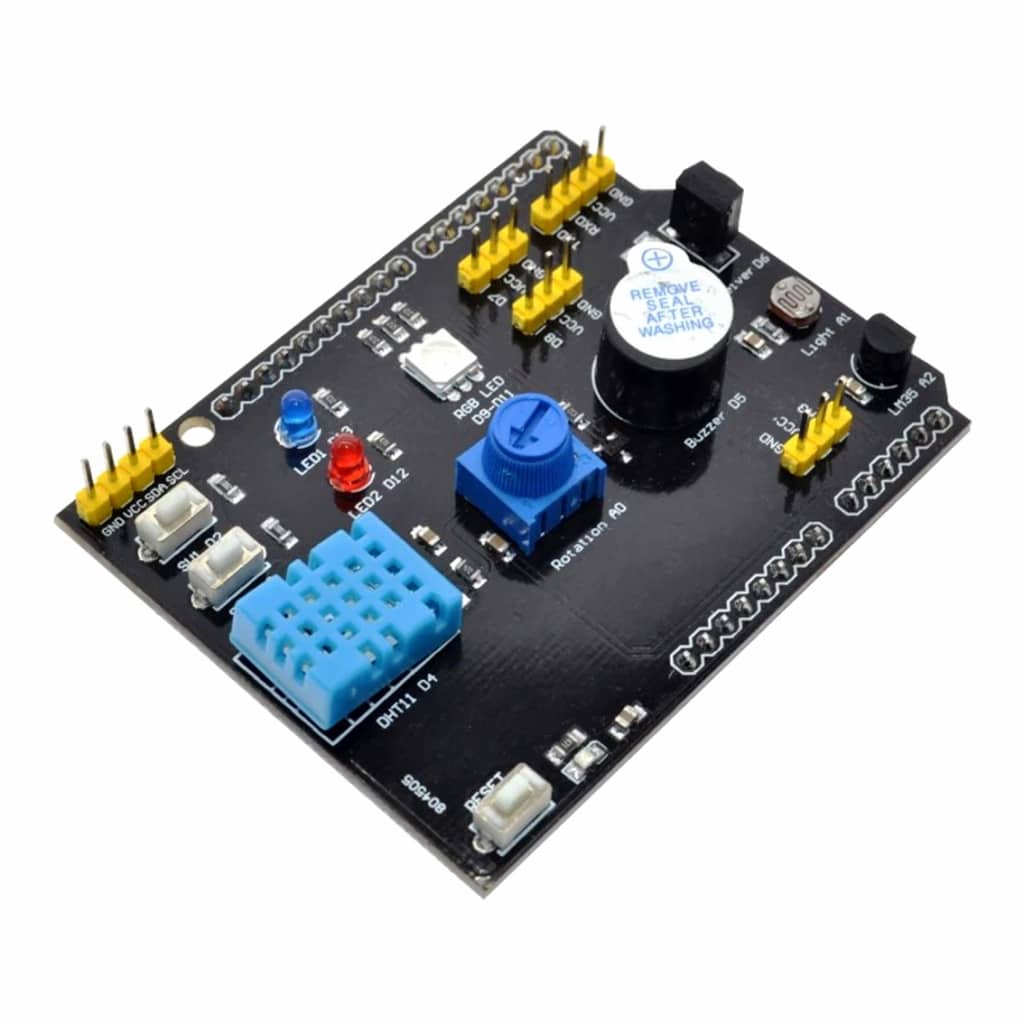
The DHT11 LM35 Temperature Humidity Sensor Expansion Board is an Arduino-compatible shield that combines multiple sensors and components for easy prototyping. It includes:
- DHT11 digital temperature & humidity sensor
- LM35D analog temperature sensor
- 2-way button & 2-way LED
- Passive buzzer
- Rotary potentiometer
- Full-color LED
- IR receiver
- LDR (light-dependent resistor) sensor
- I2C interface (A4 SDA, A5 SCL)
- TTL serial port
- Digital ports (D7, D8)
- Analog port (A3)
Pinout & Connections
| Component | Pin(s) | Function |
|---|---|---|
| DHT11 | VCC, GND, DATA | Digital temp/humidity |
| LM35D | VCC, GND, A3 | Analog temperature |
| Buttons | D7, D8 | Digital input |
| LEDs | D7, D8 | Digital output |
| Potentiometer | A3 | Analog input |
| Buzzer | D8 | Digital output |
| IR Receiver | D7 | Digital input |
| LDR | A3 | Analog input |
| I2C | A4 (SDA), A5 (SCL) | Communication |
| Serial | TX/RX | UART |
Setup Instructions
- Mount the board directly onto your Arduino Uno or compatible board.
- Power supply: 5V via Arduino’s VCC and GND.
- Connect sensors:
- DHT11 → Digital pin (DATA) with pull-up resistor (if not onboard).
- LM35D → Analog pin A3.
- Optional peripherals: Use buttons, LEDs, buzzer, and potentiometer for interactive projects.
Programming Guide
Example: Reading DHT11
#include "DHT.h"
#define DHTPIN 7
#define DHTTYPE DHT11
DHT dht(DHTPIN, DHTTYPE);

void setup() {
  Serial.begin(9600);
  dht.begin();
}

void loop() {
  float h = dht.readHumidity();
  float t = dht.readTemperature();
  Serial.print("Humidity: "); Serial.print(h);
  Serial.print("%  Temperature: "); Serial.print(t); Serial.println("°C");
  delay(2000);
}
Example: Reading LM35
int lm35Pin = A3;

void setup() {
  Serial.begin(9600);
}

void loop() {
  int value = analogRead(lm35Pin);
  float voltage = value * (5.0 / 1023.0);
  float tempC = voltage * 100; // 10mV per °C
  Serial.print("LM35 Temp: "); Serial.print(tempC); Serial.println("°C");
  delay(1000);
}
Applications
- Weather monitoring station
- Smart home temperature/humidity control
- Educational kits for sensor learning
- IoT projects with multiple sensor inputs
Notes & Tips
- Accuracy: DHT11 ±2°C, ±5% RH; LM35 ±0.5°C.
- Sampling rate: DHT11 updates every 1–2 seconds.
- Avoid long wires (>20cm) for DHT11 to prevent signal loss.
- Use pull-up resistor (5–10kΩ) on DHT11 DATA if not onboard.